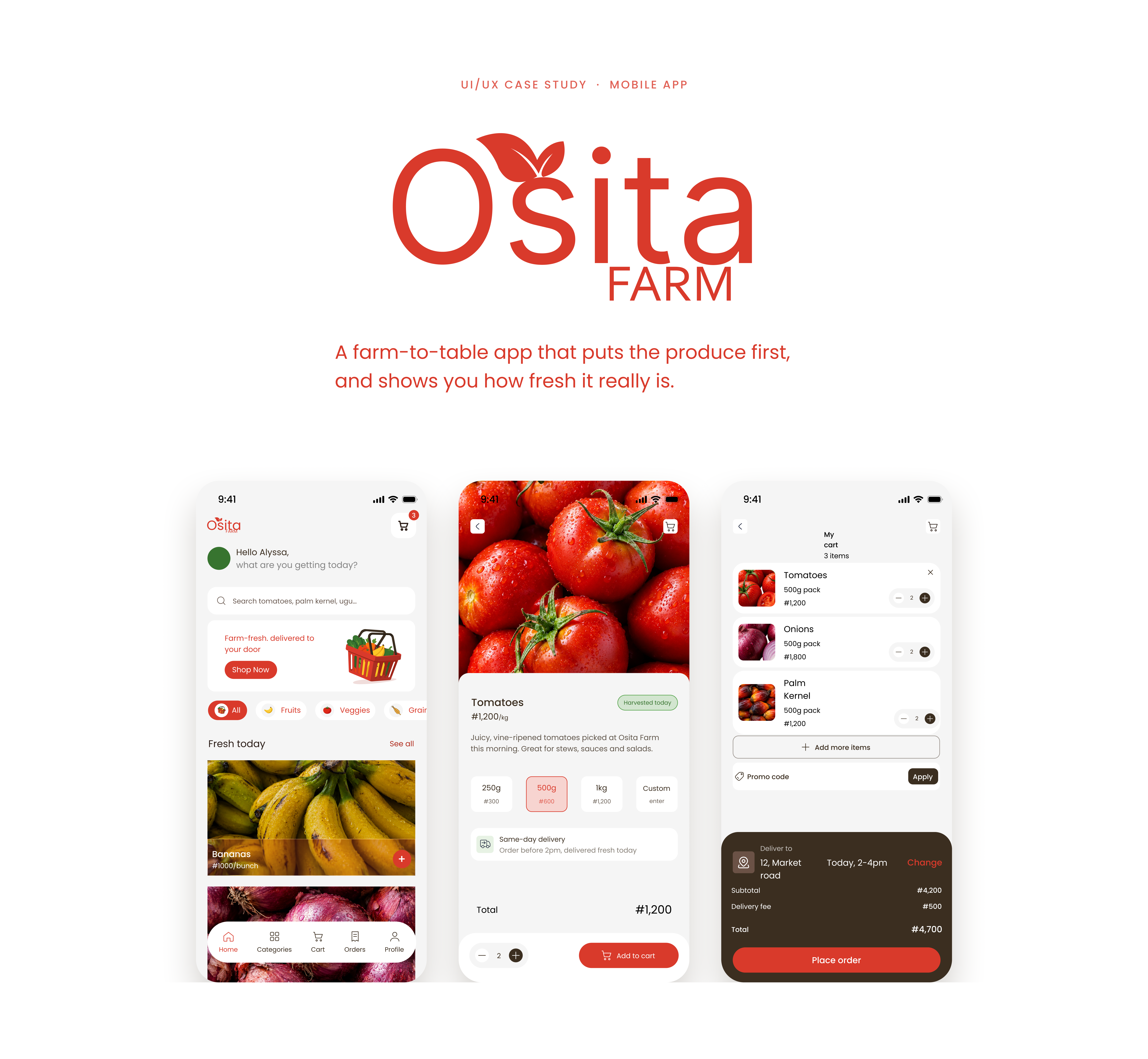
The backstory
Why fresh produce is hard to sell on a phone
Fresh food is bought with your eyes. At the market you pick up a tomato, look at it, press it. A phone takes all of that away, so an app selling produce has to earn the trust the market gets for free.
The problem
- Produce is bought on trust.You can’t squeeze a tomato through a screen. If an app can’t show freshness, shoppers go back to the market.
- Grocery apps look alike.Big delivery apps treat produce as one category in a long list, so the food shrinks into small thumbnails and filters.
- Doubt peaks at checkout.Totals, fees and delivery time need to be clear before someone commits, not after.
The goals
- Make freshness visible at every step.
- Let the produce photos do the talking.
- Keep browse-to-order short.
- Show cost and delivery before the tap.
My role
What I owned
This was a solo project. I did the research, the UX and UI, and all of the illustration, in Figma. The scope was six screens: splash, home, categories, product, cart and order status.
Research
Where online fresh produce stands in Nigeria
Before designing, I did desk research on the market, the main players and the gaps between them.
The market is growing. Nigeria’s online food delivery market was valued at about $1.04B in 2024 and is projected to reach $2.49B by 2033 (IMARC Group). But the habit is still the market: open-air markets accounted for roughly 65% of retail food sales in an older TechCabal report.
Competitor snapshot
- Chowdeck.Food, grocery and medicine delivery across several Nigerian cities. Groceries are one category inside a food-first app.
- 9jaFarm.A farm-to-consumer marketplace that leads with lower prices, speed and monthly subscription packages.
- Oveem.An online fruit and vegetable store that aims to feel like a farmers’ market, with healthy recipes alongside.
- Farmz2U.Works on the farmer side, with a USSD service to list produce and match buyers.
Big delivery apps treat produce as one category among many, and farm-direct players lead on price and logistics. Few put the look and freshness of the produce at the centre of the experience. That set up the question:
How might we make buying produce on a phone feel as trustworthy as picking it yourself?
My answer was a farm-to-table app where the product comes first: clean and minimal, with trust built into the details and a short path from browsing to checkout. That became the brief.
Sources: CB Insights / IMARC Group, TechCabal (Oveem), Chowdeck, BusinessDay (9jaFarm), TechBuild Africa (Farmz2U).
Decision 1
Product first, interface second
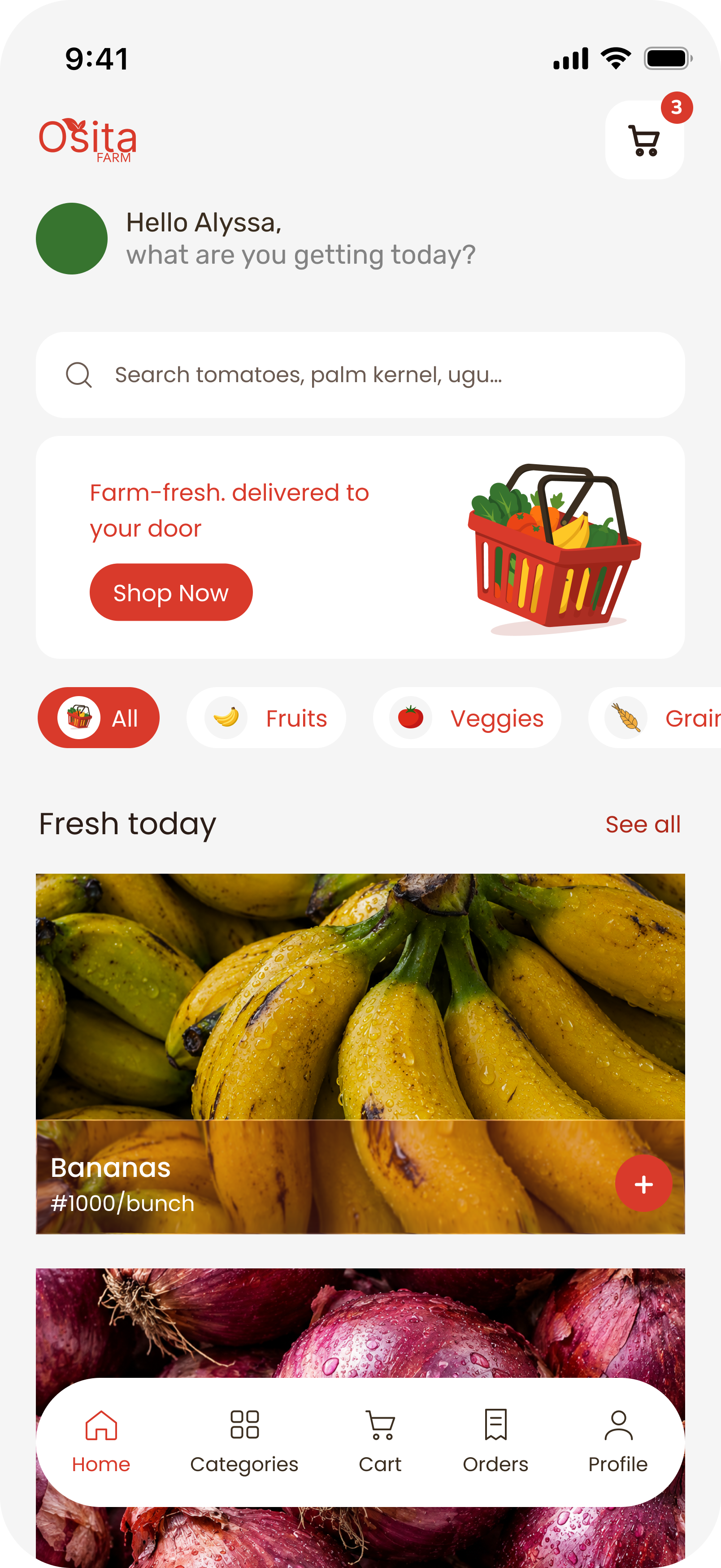
Real photography is the strongest freshness signal a produce app has. So Home stays quiet: one search bar, one small promo, then large full-width photos under “Fresh today.” Controls stay light so nothing competes with the food.
- Search speaks the local language.The hint uses real staples like palm kernel and ugu.
- Icon chips jump between aisles.Fruits, veggies and grains are one tap apart.
- The top bar is useful, not busy.Just a greeting and a cart badge.
Decision 2
Freshness is a filter and a badge, not a slogan
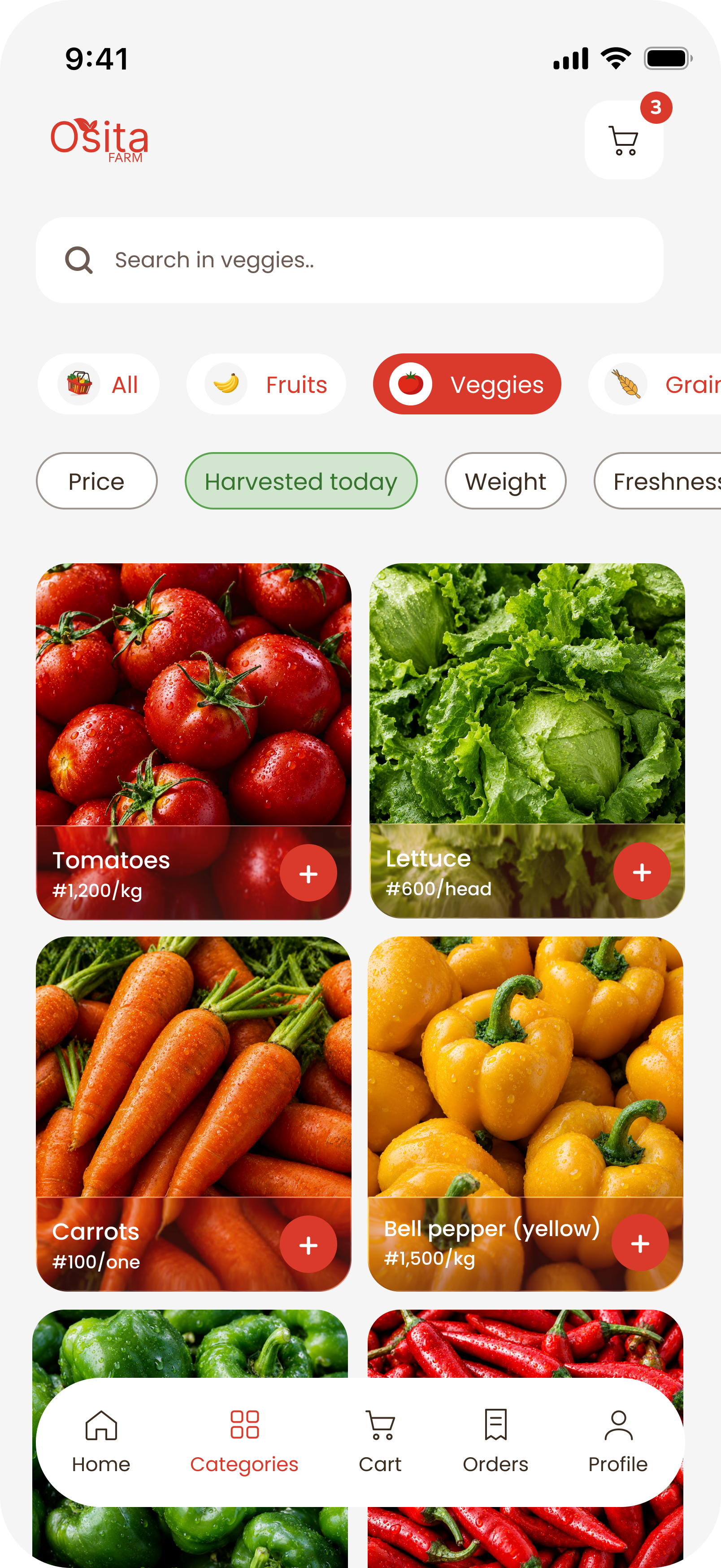
Freshness is the question this audience actually asks, so it gets the same weight as price. Categories pairs a “Harvested today” filter with Price, Weight and Freshness, and the product page repeats it as a green badge.
- Green is reserved for freshness.It never appears anywhere else, so it always means the same thing.
- Filters scroll sideways.They stay out of the way of the photos.
- A two-column grid.Names and prices stay readable at a glance.
Decision 3
Every colour has one job
Red comes from the tomato: appetite, energy and the brand, used only for actions like add and checkout. Green is proof of freshness. Dark brown gives weight to decision moments. Off-white keeps the photos bright. When each colour does one thing, colour itself starts to communicate.
- ActionRed#D93A2B
- FreshnessGreen#2F6B33
- CommitmentBrown#3B2E20
- Photo spaceOff-white#F5F5F5
Illustration
Every illustration is drawn by me
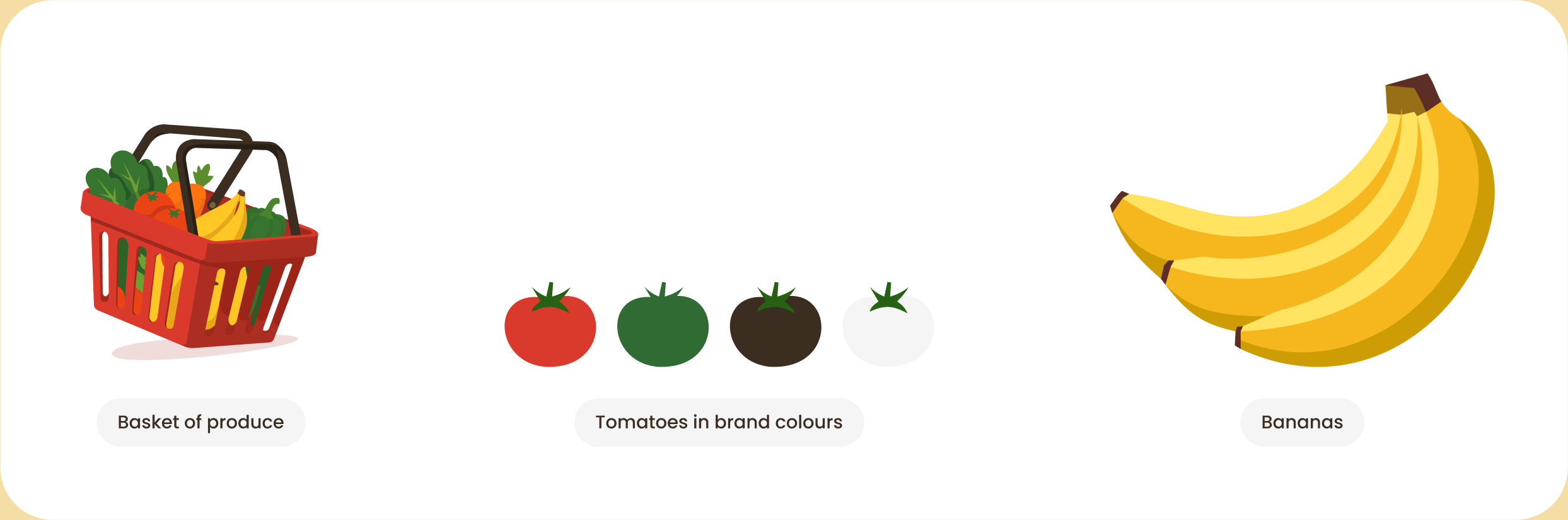
I drew the basket, the tomatoes, the bananas, the wheat and the rest of the produce set myself, rather than reaching for stock icons. Warm, flat shapes in the same four brand colours give the app a friendly, farm-fresh personality, and they tie the splash screen, the Home banner and the cover into one visual world.
Decision 4
Buy in familiar amounts, see the promise before the tap
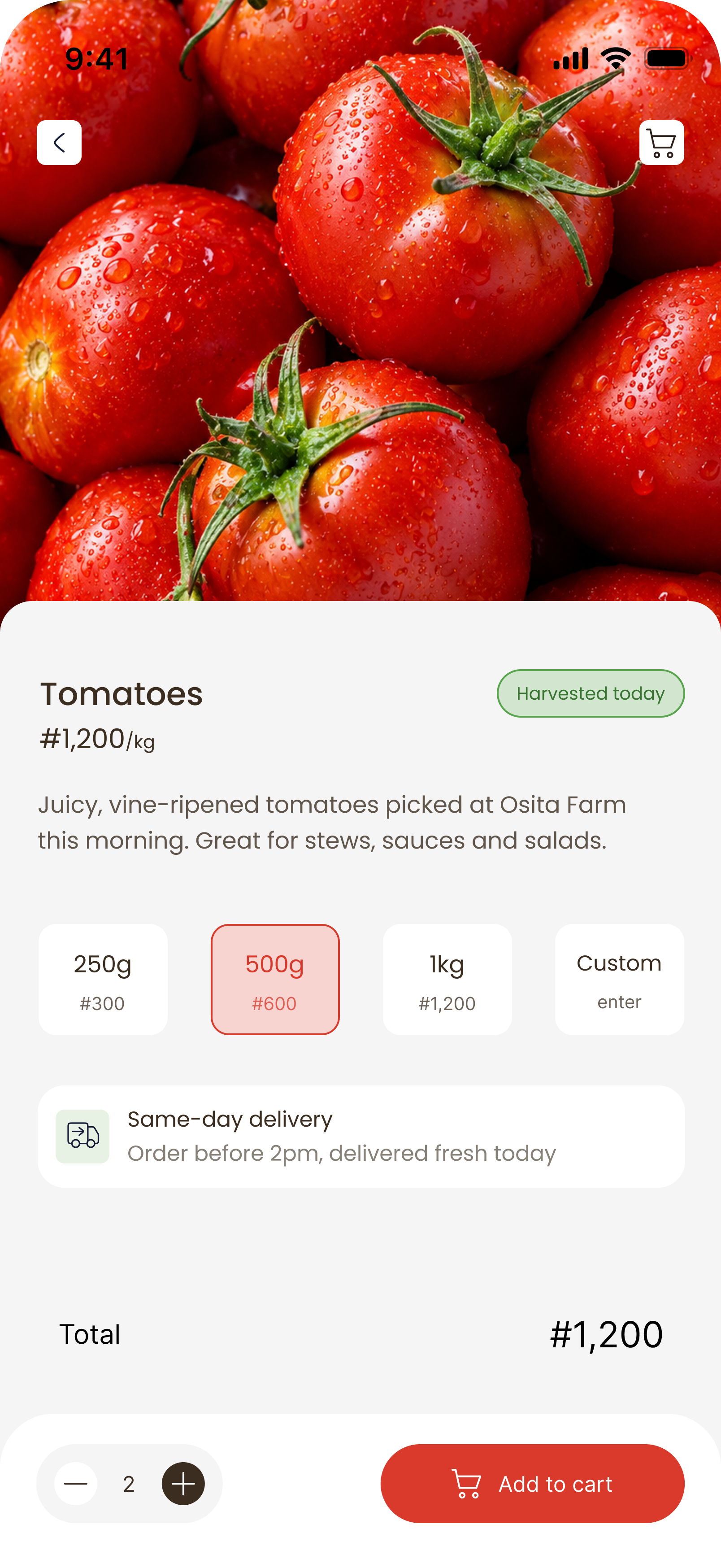
Most people buy produce in familiar amounts, so 250g, 500g and 1kg are one tap and Custom covers everything else. The price updates with the choice, and a same-day delivery note (order before 2pm) sits right above the total, where hesitation happens.
- The badge sits next to the name.“Harvested today” is the first thing you read after the photo.
- Actions stay in thumb reach.The quantity stepper and Add to cart live in a fixed bottom bar.
- A short, appetising description.It sets expectations without a wall of text.
Decision 5
A dark panel for the moment of commitment
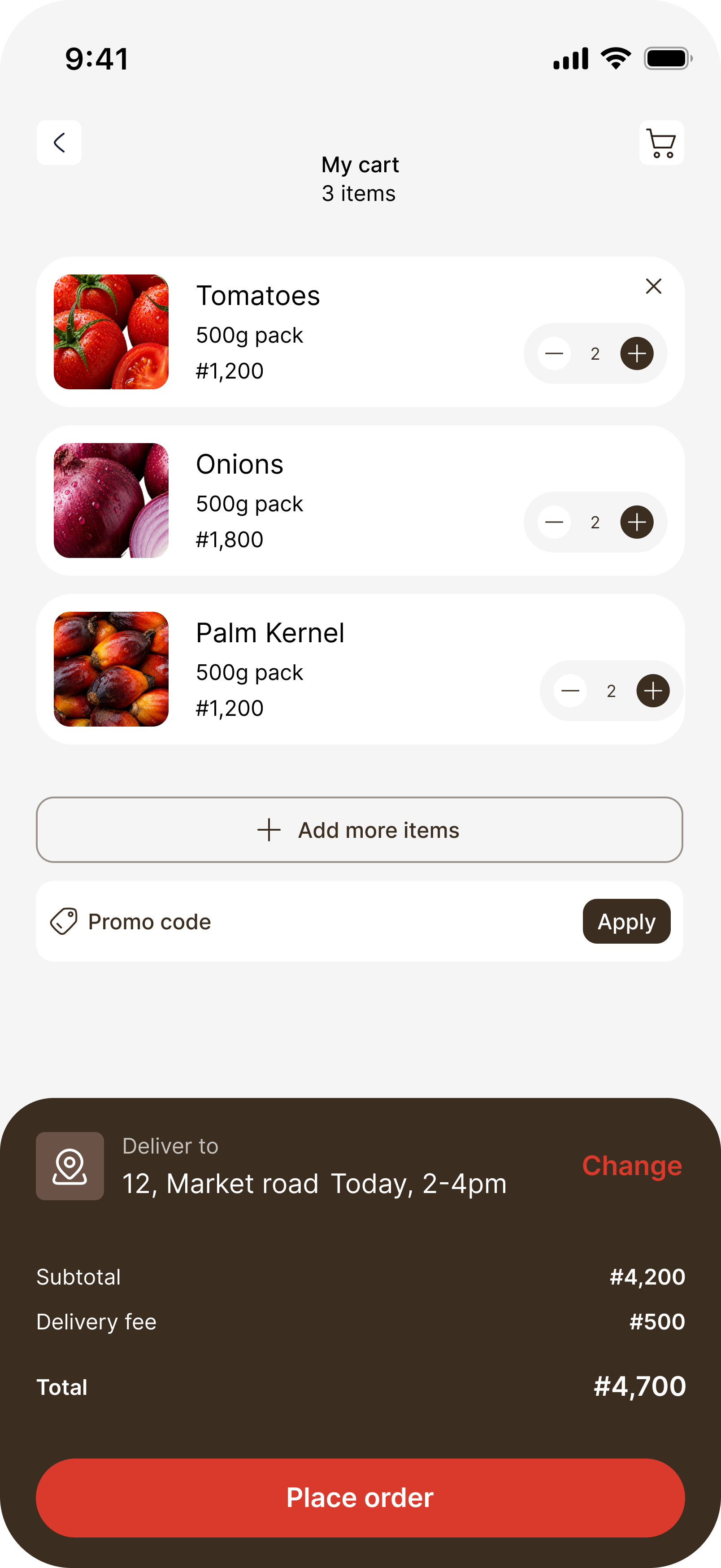
The cart list stays light and scannable, while a dark panel docks at the bottom with the delivery address, time slot, subtotal, fee and total above the red Place order button. Everything needed to say yes lives in one place, and the contrast pulls the eye to the total and the action. No surprises after the tap.
- Change things in place.Address and time slot can be edited right there via “Change.”
- Extras stay out of the way.Promo code and “Add more items” sit below the list.
- Cost and delivery together.Of the cart layouts I explored, this was the one that kept them side by side.
Decision 6
Close the loop after the tap
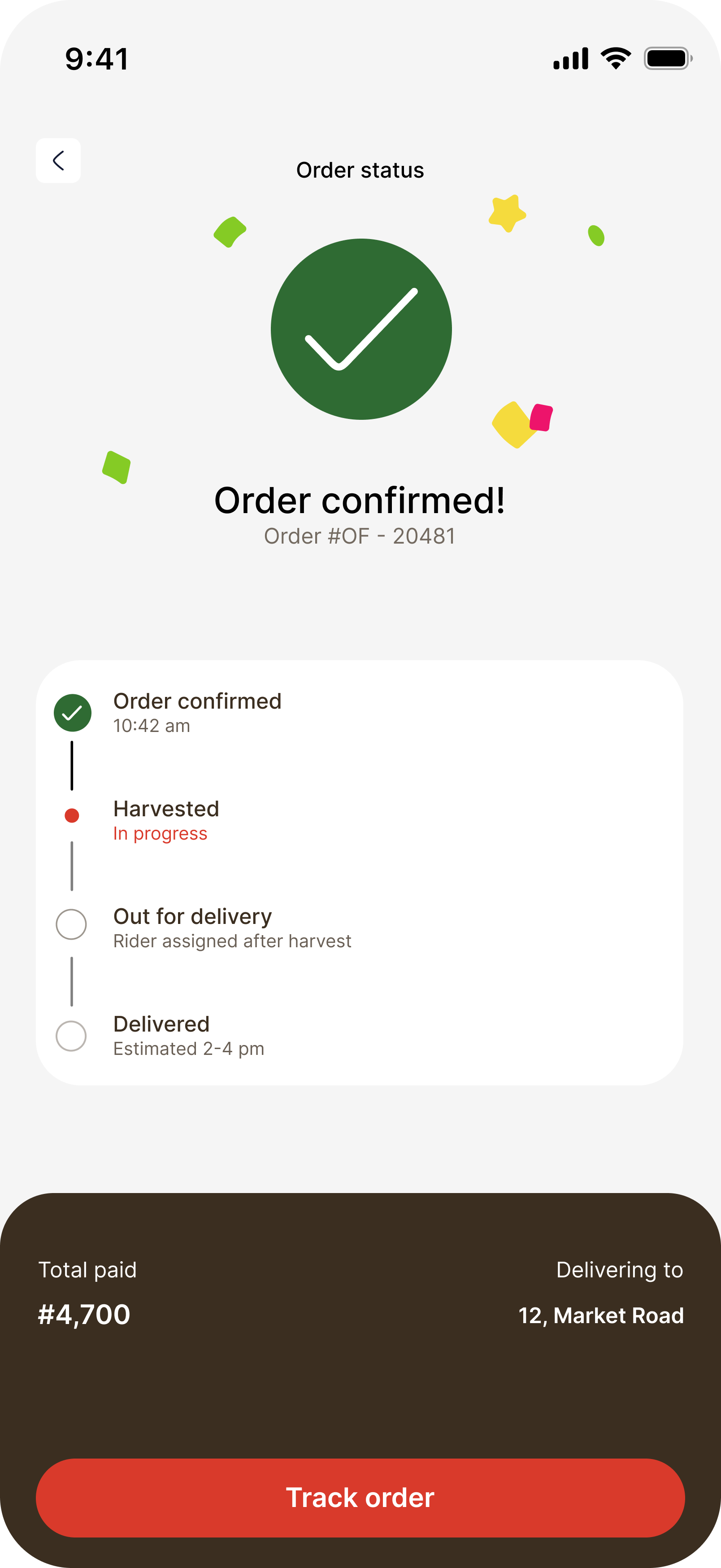
The order status screen answers the next question before anyone asks it. A green check and a little confetti confirm the order, then a four-step timeline shows Order confirmed, Harvested, Out for delivery and Delivered.
The Harvested step is what makes farm-to-table real: the order is confirmed first, then picked.
- The checkout style carries through.The same dark summary panel stays to the end.
- One red action.Track order is the only thing asking for a tap.
- Nothing to look up.The order number and delivery estimate stay in view.
What didn’t work
Three Home screens I threw away
The final Home screen came from rejecting three earlier directions. Each one taught me what the app should not be.
- Red and cream.Safe and tidy, but forgettable. It had no point of view and gave the photos nothing to push against.
- Red header, serif headline, 2×2 grid.Familiar to the point of generic. It looked like every other grocery app, which was exactly the problem I was solving.
- Bold outlined stickers.Playful, but loud. The heavy outlines competed with the produce, so the food stopped being the hero.
Every rejection pointed to the same answer: remove, don’t add. A clean, product-first layout let the photos do the work.
Final screens
Splash to order status, in six screens
The full path, start to finish.
Reflection
What Osita Farm taught me
- Let the product lead.In a food app, photography beats decoration. Every layout choice was about getting out of the way of the produce.
- Give each colour one job.Red for action, green for freshness, brown for commitment. Restraint made the palette communicate on its own.
- Say the cost before the tap.Totals, fees and delivery time sit in one panel before the order is placed, so nobody is surprised afterwards.
If this were a real product
Next I would test with real shoppers, especially around whether “Harvested today” changes what people buy. Then I would design payment, address management and substitutions for out-of-stock items.
Credits
UI/UX design, research and all illustrations by Hephzy. Made in Figma.